I love to read. I always have. But recently, I've been finding it harder and harder to enjoy my favorite pastime because of the dreaded e-book eye strain. Staring at a screen for hours was leaving my eyes feeling tired, dry, and just plain uncomfortable. I knew I had to find a solution if I wanted to keep reading without sacrificing my eye health.
It started subtly. After a long day at work, I'd settle down with my e-reader, eager to escape into a good book. But within an hour, my eyes would start to feel gritty. Then came the headaches. I tried different things – adjusting the brightness, increasing the font size – but nothing seemed to fully alleviate the problem. I even found it difficult to fall asleep after reading before bed. I was starting to think I would have to give up reading altogether, which was a depressing thought. I knew I wasn't alone in this, and after doing some digging, I discovered that many people experience similar issues with digital reading. The key, I realized, was to find practical strategies to minimize the strain.
After some research and experimentation, I discovered several things that helped me immensely. Here's what worked for me:
This was a game-changer. I learned that focusing on small things for long periods can really strain the eye muscles. The 20-20-20 rule is simple: every 20 minutes, spend 20 seconds staring at something 20 feet or more away. I set a timer on my phone to remind me, and it's made a huge difference. Getting up and walking around also helps!
I used to think a smaller font meant I could fit more words on the screen, but straining to read tiny text was definitely contributing to my eye fatigue. Increasing the font size made a surprising difference. It allowed my eyes to relax more, and I found I could read for longer periods without discomfort.
I discovered that the blue light emitted from screens can interfere with sleep and contribute to eye strain. I started using a blue light filter on my devices, especially in the evenings. This helped reduce the harshness of the screen and made it easier to wind down before bed. Limiting my screen time an hour or two before bed also improved my sleep quality.
This was perhaps the biggest breakthrough. I switched to an e-ink e-reader, and the difference was night and day. The screen mimics the appearance of real paper, and it's incredibly easy on the eyes. I wish I had switched sooner! The light is reflected, not emitted, so it feels much more natural. I know several friends who swear by this, too.
Since switching to an e-ink screen made such a difference, I decided to upgrade my device. I got a Kindle Paperwhite, and I love it! The adjustable light levels, which can even be set to automatically adjust based on the time of day, are fantastic. I can even turn down the blue light, which is a lifesaver before bed. It's my first e-reader and I really wish I'd bought one sooner.
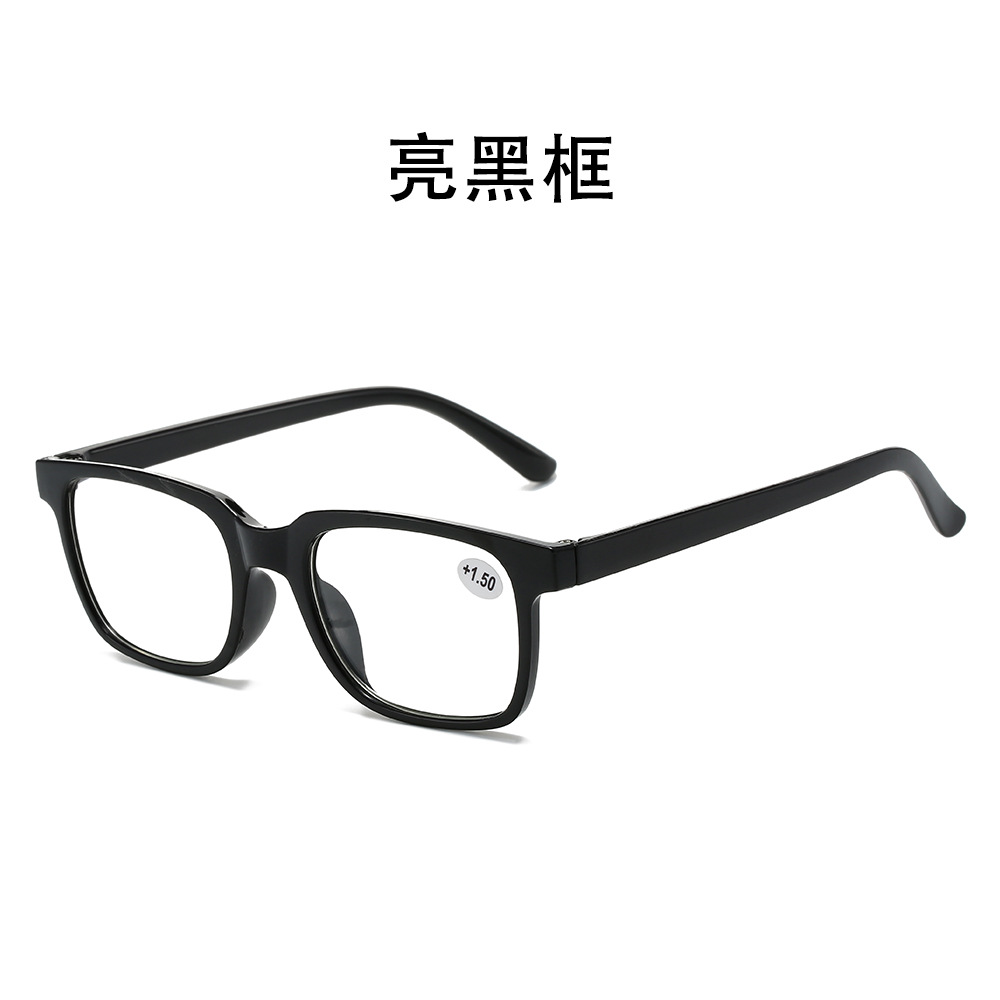
I realized that part of my eye strain might be due to needing a little extra help with focusing. I've been experimenting with reading glasses, and they've made a noticeable difference. I recently came across learn more about different types of glasses. I found a stylish pair from Mozaer that I really like.
For me, these New Fashionable Transparent Reading Glasses from Mozaer have been great. I got the +1.5 diopter and they are perfect for reading on my tablet. They are lightweight and comfortable, and I can wear them for hours without any discomfort. I love the transparent frame too, it goes with everything! It feels like I'm giving my eyes the support they need to focus comfortably on the screen. I feel like I'm doing something proactive to protect my eye health while still enjoying my books.